


Trading notes are designated to help traders record and review their orders, which is an essential way to reflect and make progress. Follow this guide to learn how to use this function, it will be of great help to your future trade.
Click here to know more about “Post” and “Note”
App
Step 1 Click “Note”
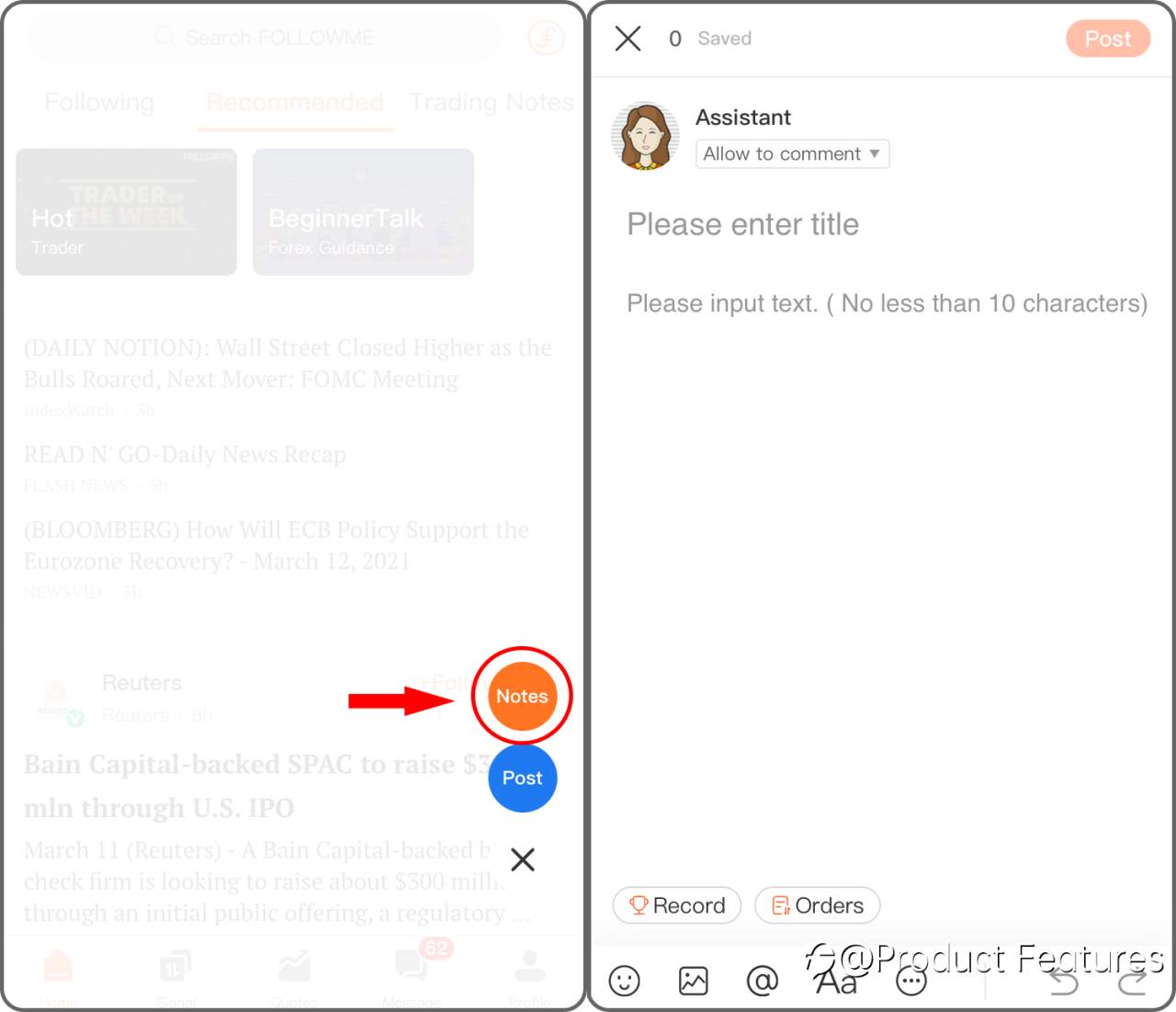
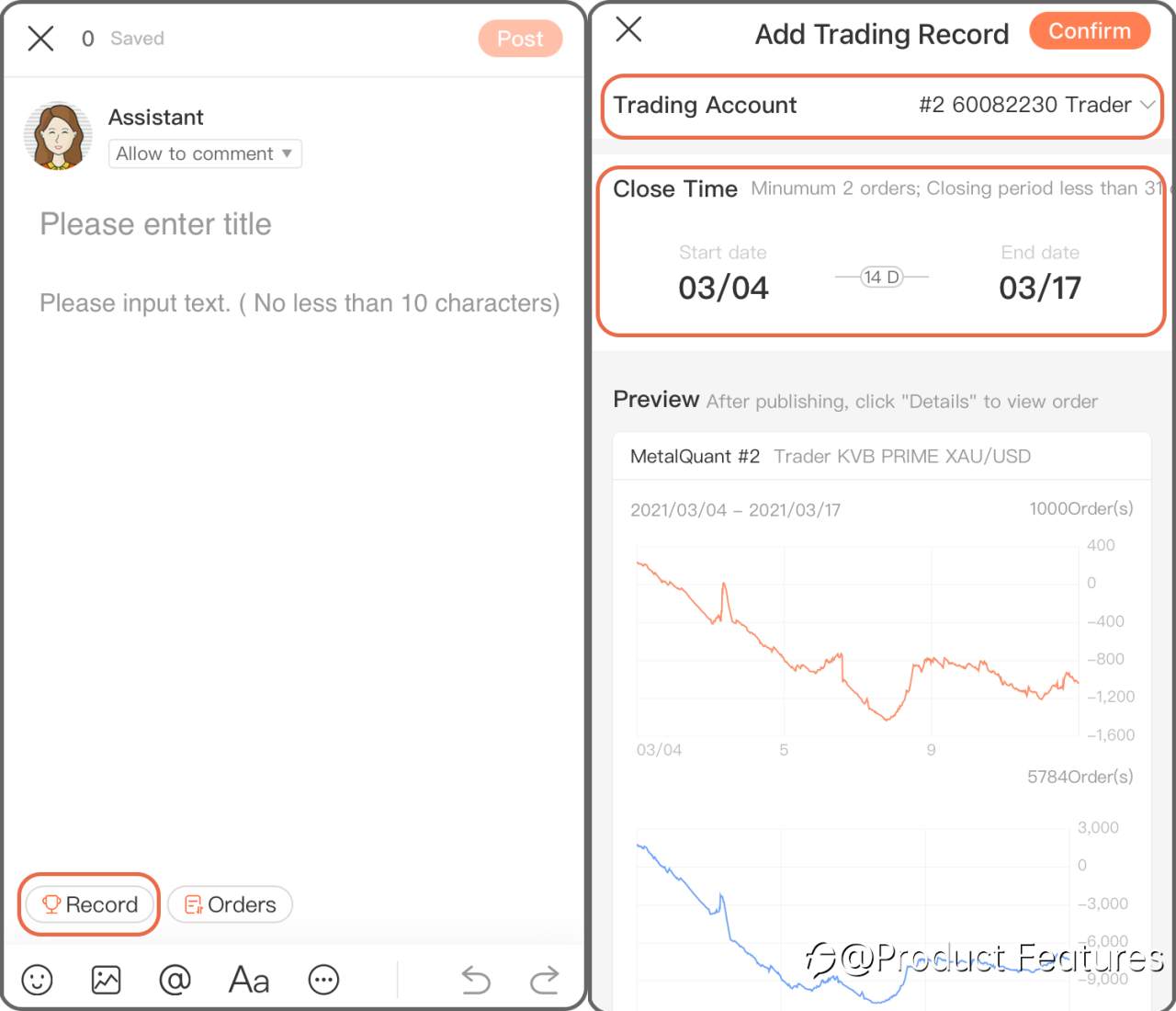
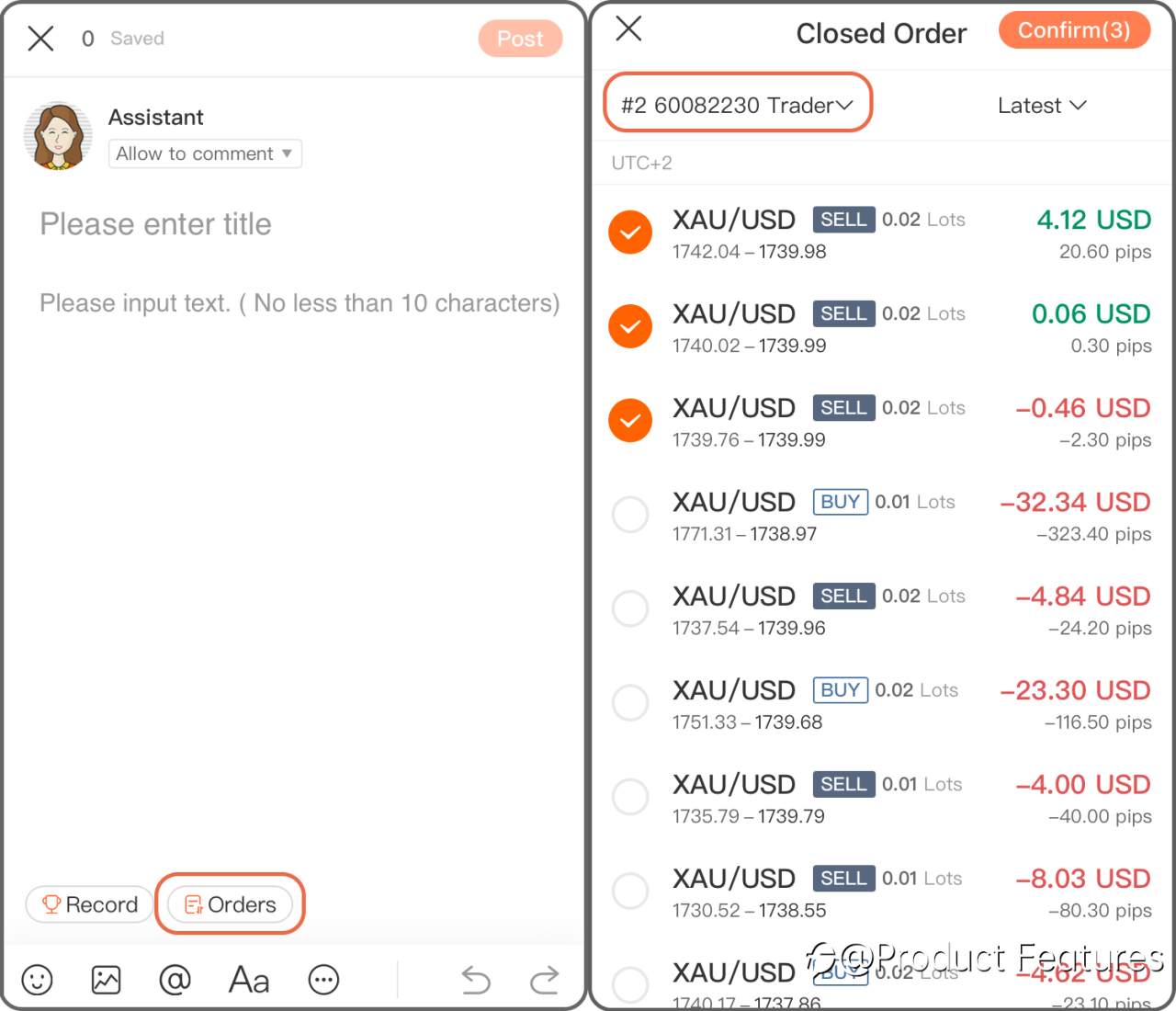
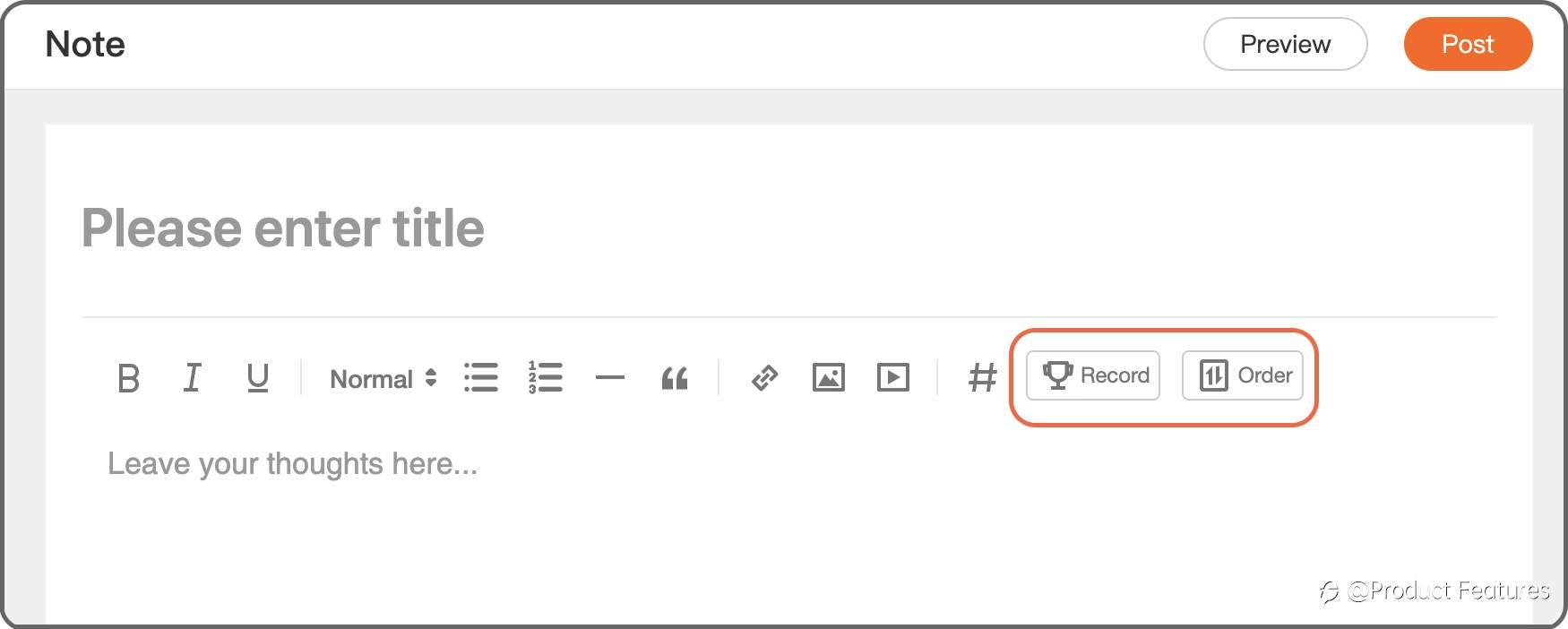
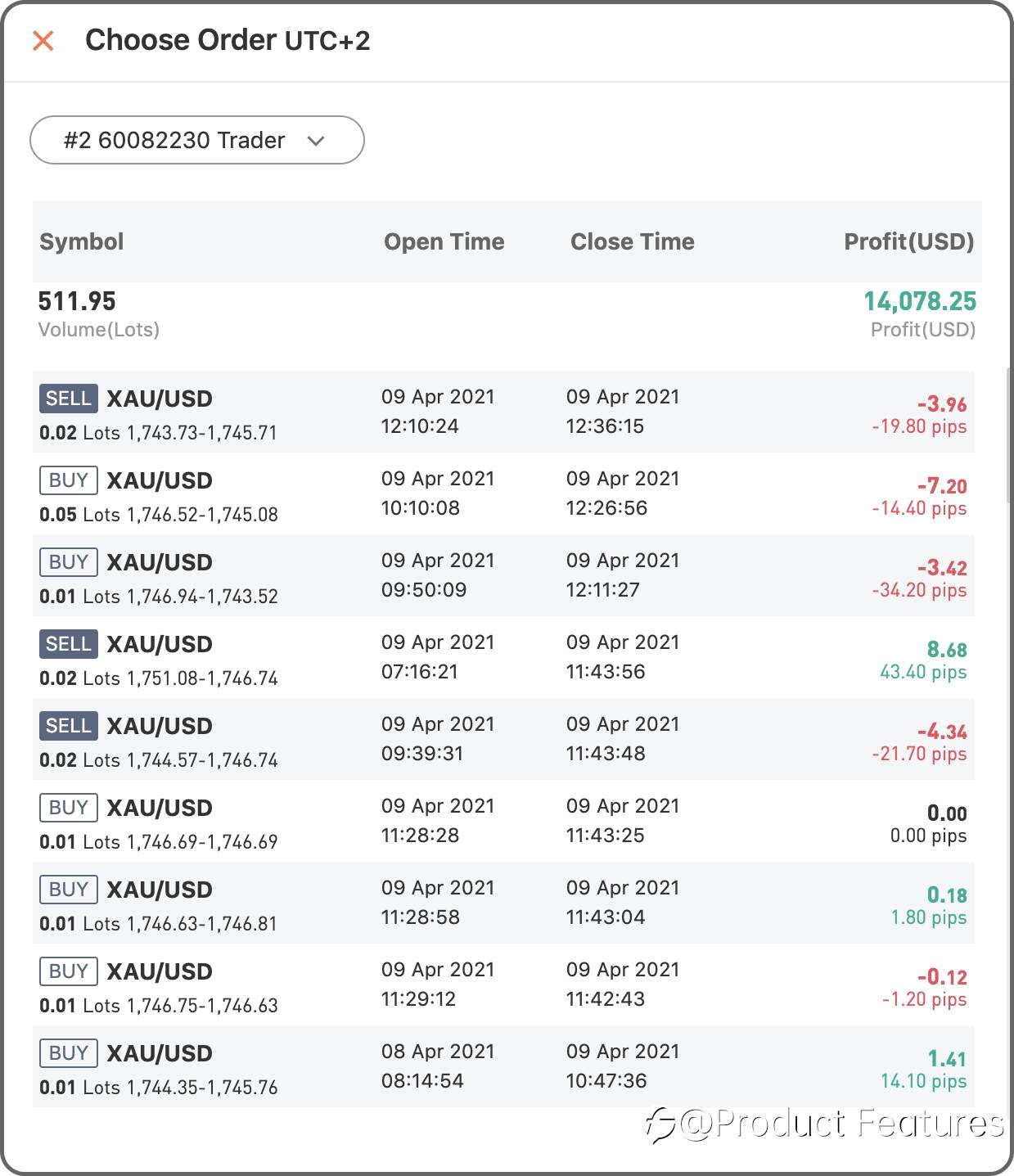
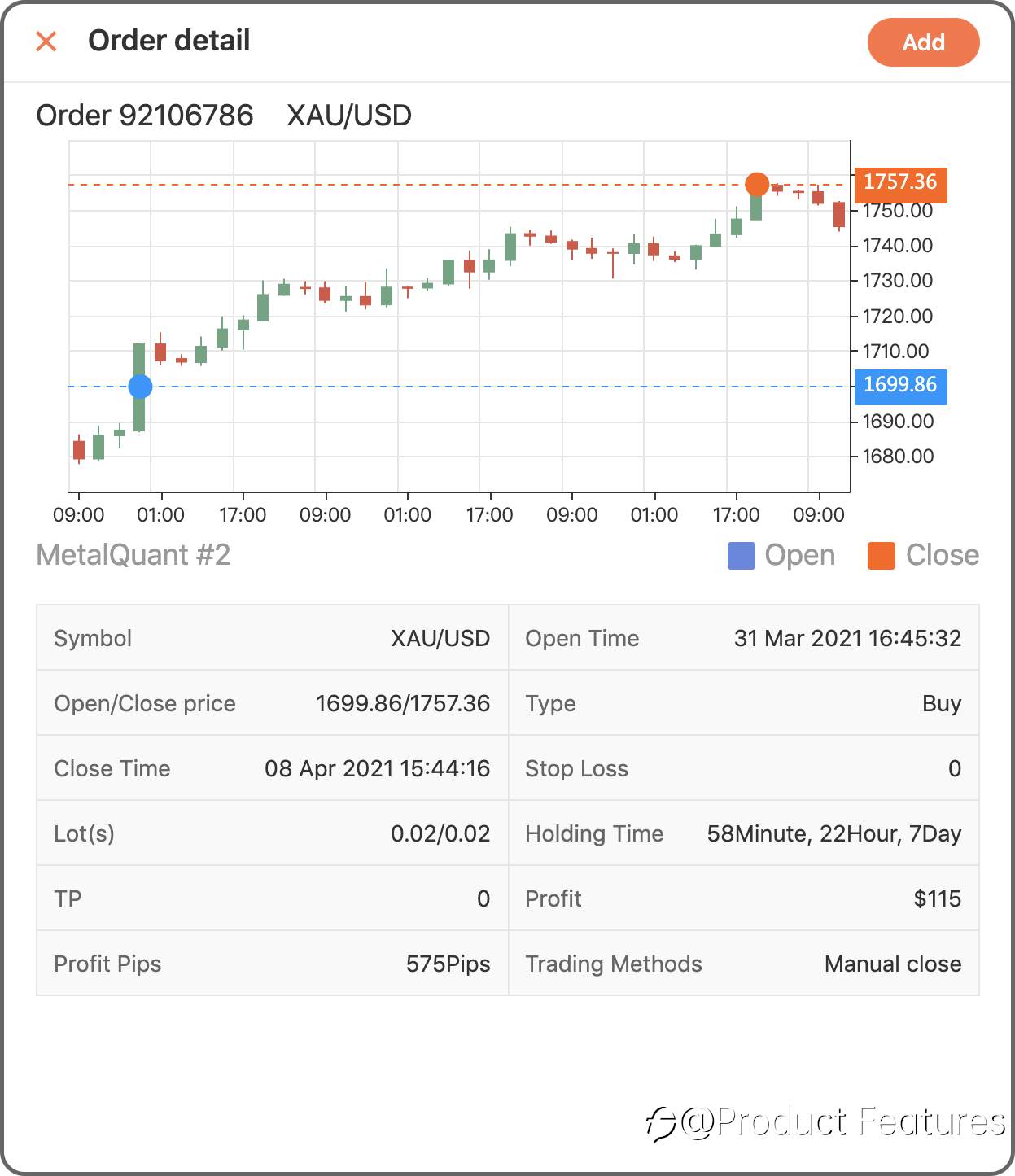
Step 2 Chose “Record” to add a trading history in a period of time; if you only want to add a single order, click “Order” then.
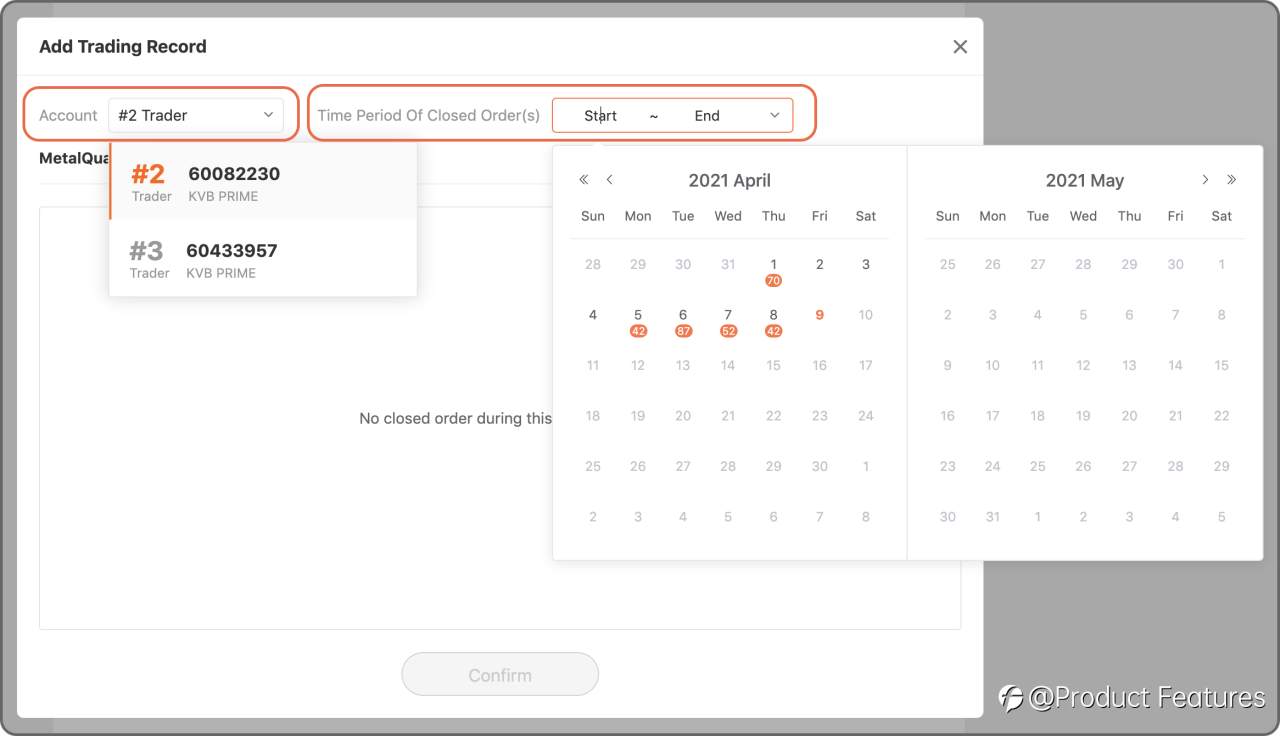
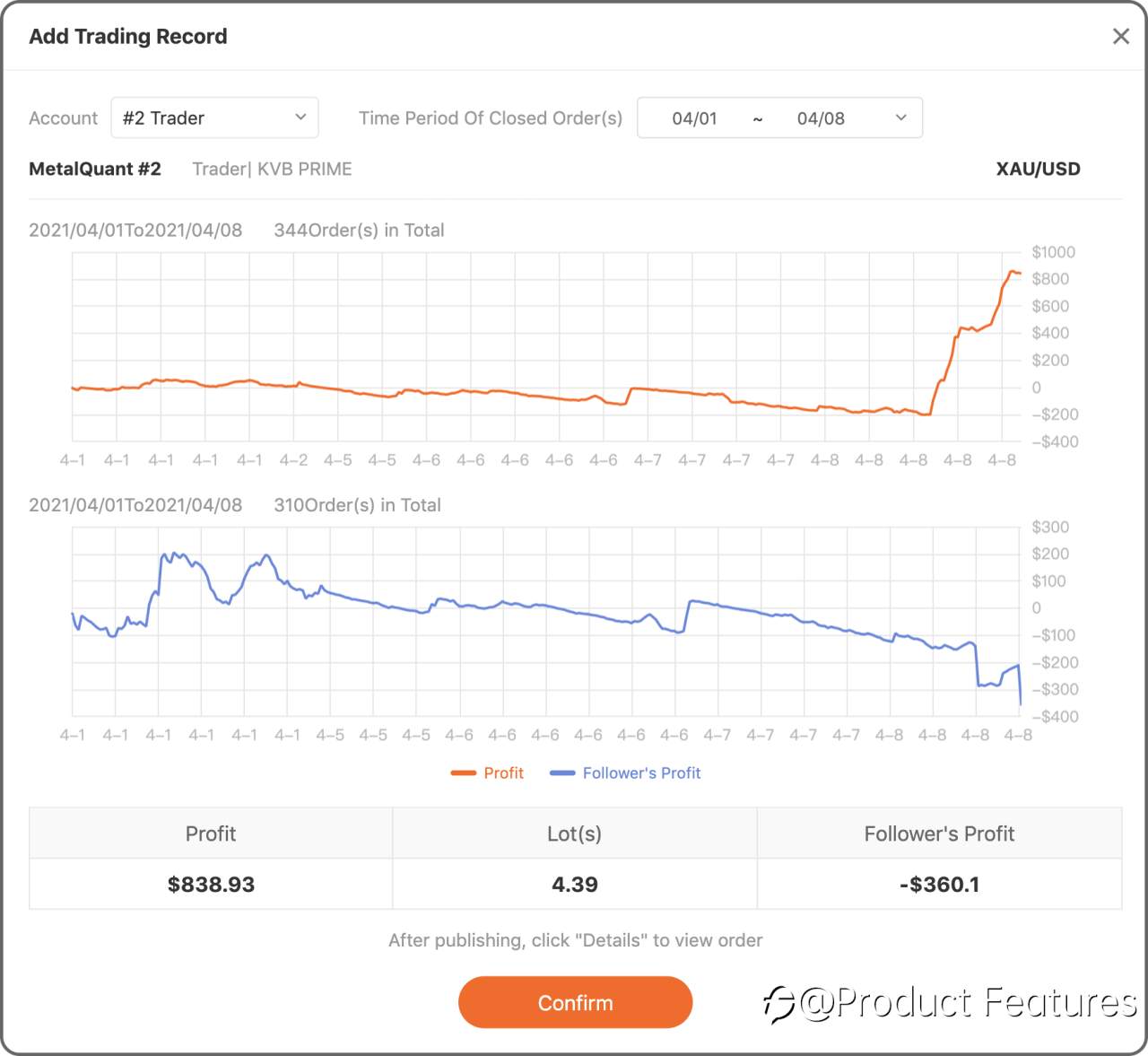
Trading Record: Select a trading account,and choose the date.Minumun 2 orders; Closing period less than 31 days.
Trading Order: Choose a live account and select orders.
Web
Step 1 Click the green“pencil” button.
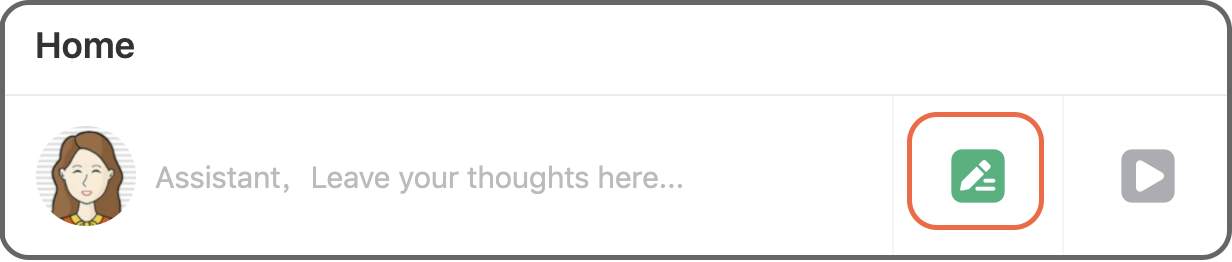
Step 2 Click “Record” to insert a trading history in a certain period of time, if you only want to add a single order, click “Order” then.
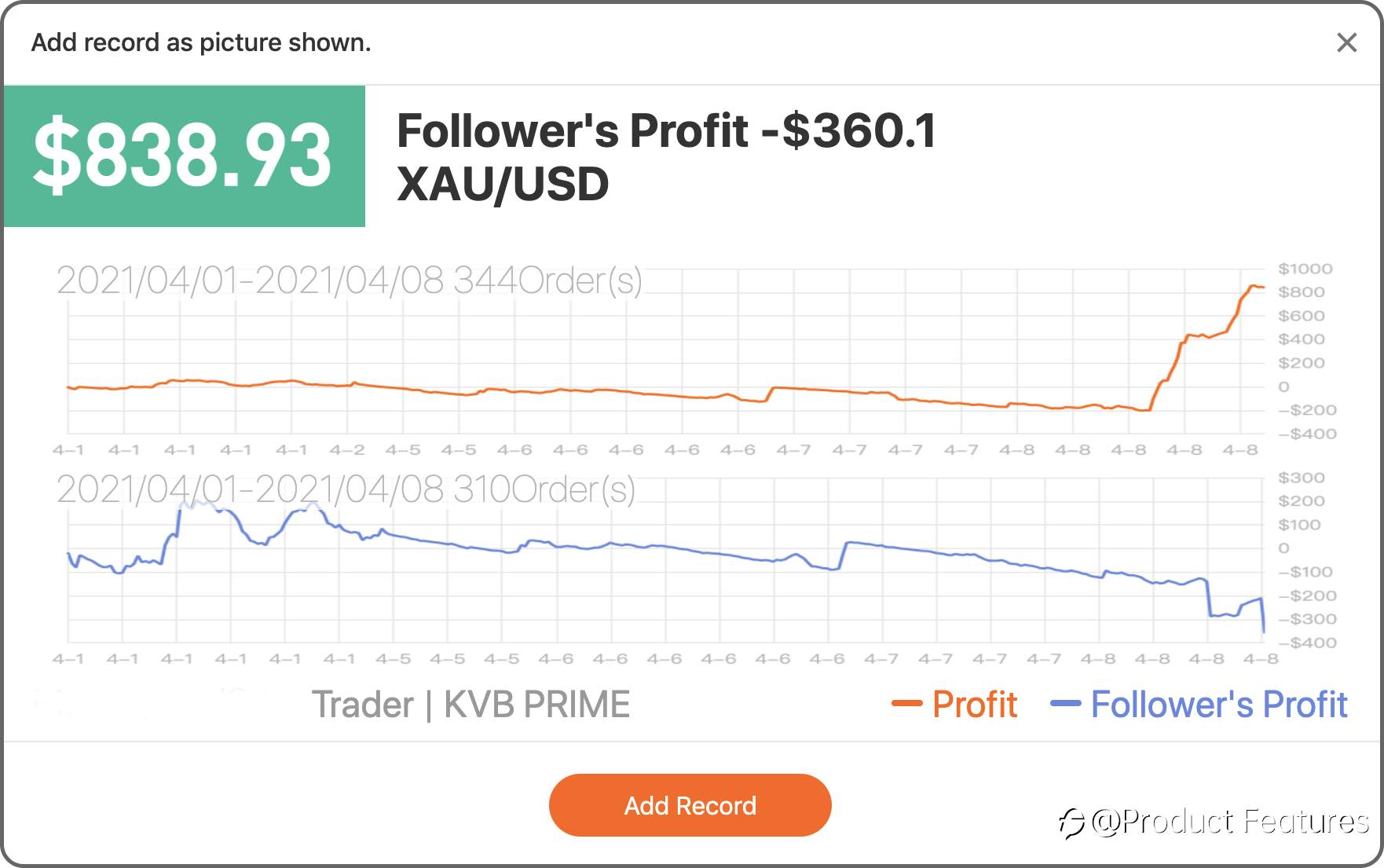
Trading Record: Select a trading account, and choose the date.Minimum 2 orders; Closing period less than 31 days.
Trading Order: Choose a live account and select orders.
Easy?Go write your first trading notes.
Telah diedit 12 Apr 2021, 17:43
Peringatan: Pendapat yang disampaikan sepenuhnya merupakan milik penulis dan tidak mencerminkan posisi resmi Followme. Followme tidak bertanggung jawab atas keakuratan, kelengkapan, atau keandalan informasi yang disediakan, serta tidak bertanggung jawab atas tindakan apa pun yang diambil berdasarkan konten ini, kecuali dinyatakan secara tertulis.


Tinggalkan pesan Anda sekarang